Builtin Entities Preview
The Builtin Entities Preview tool allows modders to easily place the game's builtin entities (such as weapons, items, vehicles, and props) into their mod scenes. This is particularly useful for creating level mods or testing interactions with standard game content.
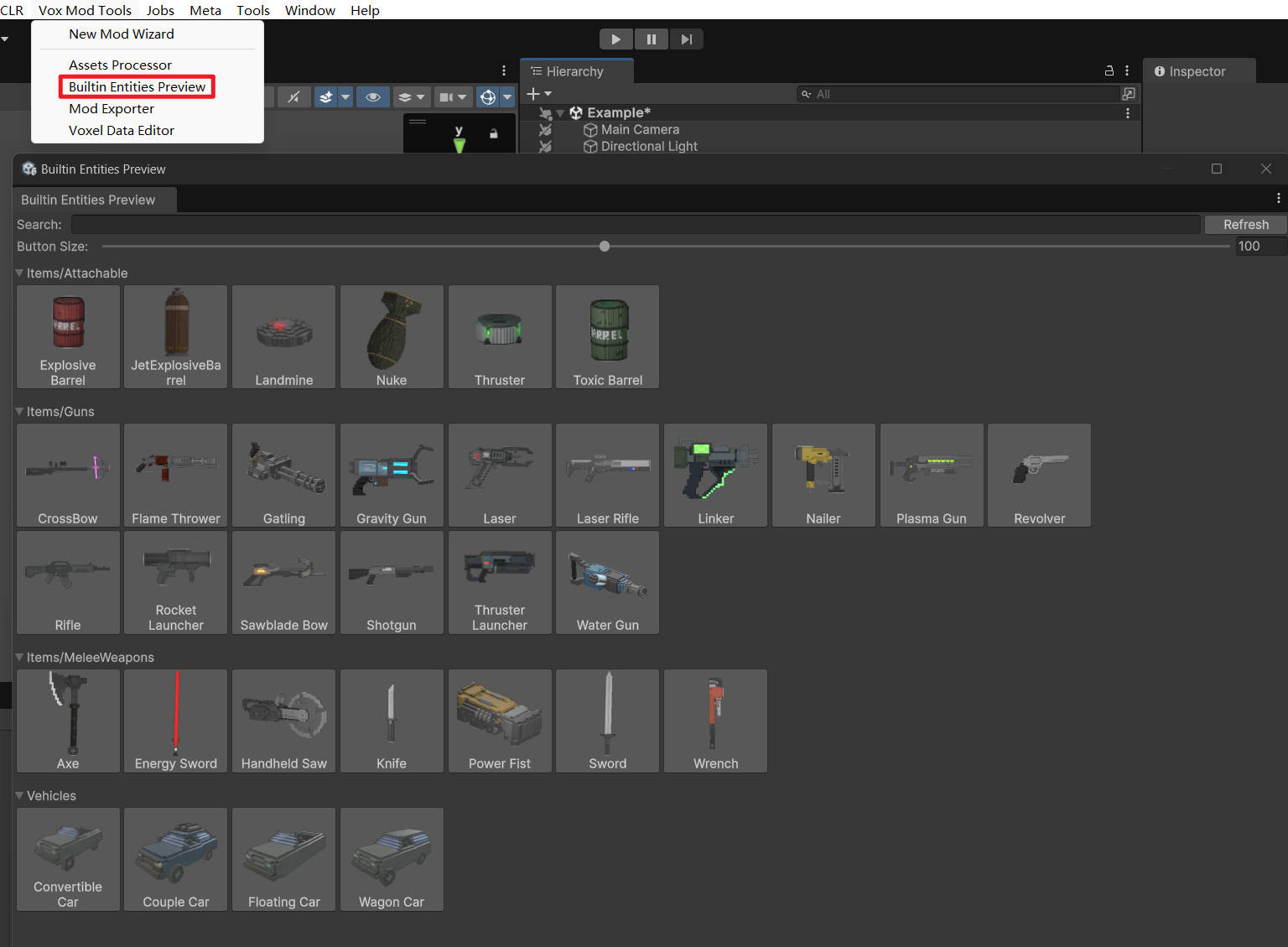
Accessing the Tool
To open the tool, navigate to the Unity menu:
Vox Mod Tools > Builtin Entities Preview
UI Overview
The window provides a categorized visual list of all available builtin entities:
- Search Bar: Quickly find specific entities by name.
- Button Size: A slider to adjust the size of the preview icons.
- Categories: Entities are grouped for easy navigation:
- Items/Attachable: Props like barrels, landmines, and thrusters.
- Items/Guns: Ranged weapons including rifles, pistols, and sci-fi guns.
- Items/MeleeWeapons: Melee tools and weapons like swords, axes, and hammers.
- Vehicles: Drivable cars and other vehicles.
Usage
- Open the Builtin Entities Preview window.
- Find the desired entity in the list.
- Drag and drop the entity's icon directly into the Scene View.
This action creates a new GameObject in your scene with the BuiltinEntityProxy component attached.
How It Works
When you drag an entity into the scene, it does not place the actual full entity prefab immediately. Instead, it places a lightweight Proxy.