Tutorial: Asteroid Wand
This tutorial walks through the current Asteroid Wand sample. The up-to-date implementation lives in Assets/Samples/com.cydream.asteroid and uses TypeScript rather than legacy custom C# scripts.
Step 1: Create the voxel assets
You need two source assets:
- A wand model.
- An asteroid projectile model.
You can author them in MagicaVoxel or convert another model into .vox.
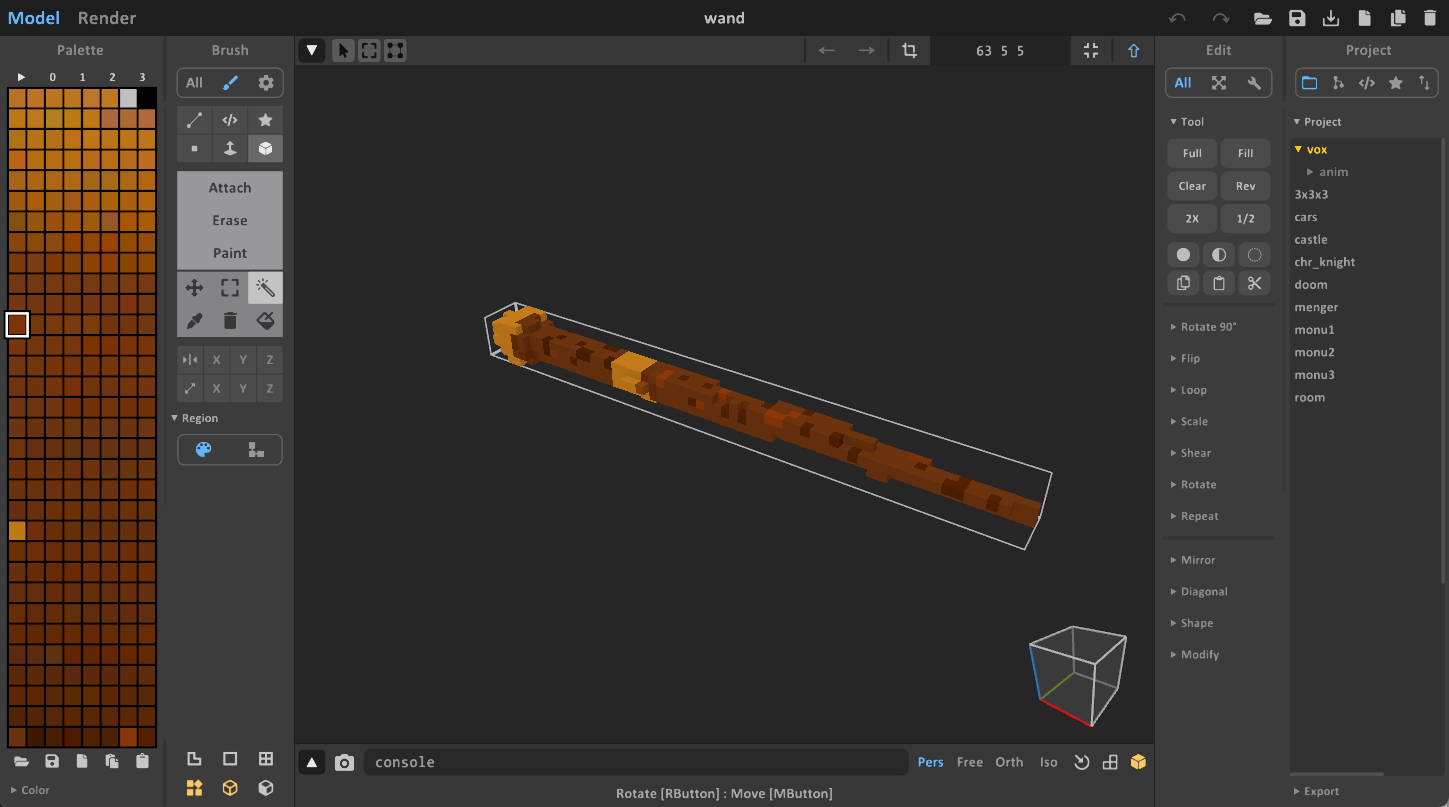
For the asteroid, choose a hard material mapping so the projectile behaves like a penetrating round. The sample uses a color index that maps to a high-hardness material, which is why the spawned asteroid punches through softer voxel targets.
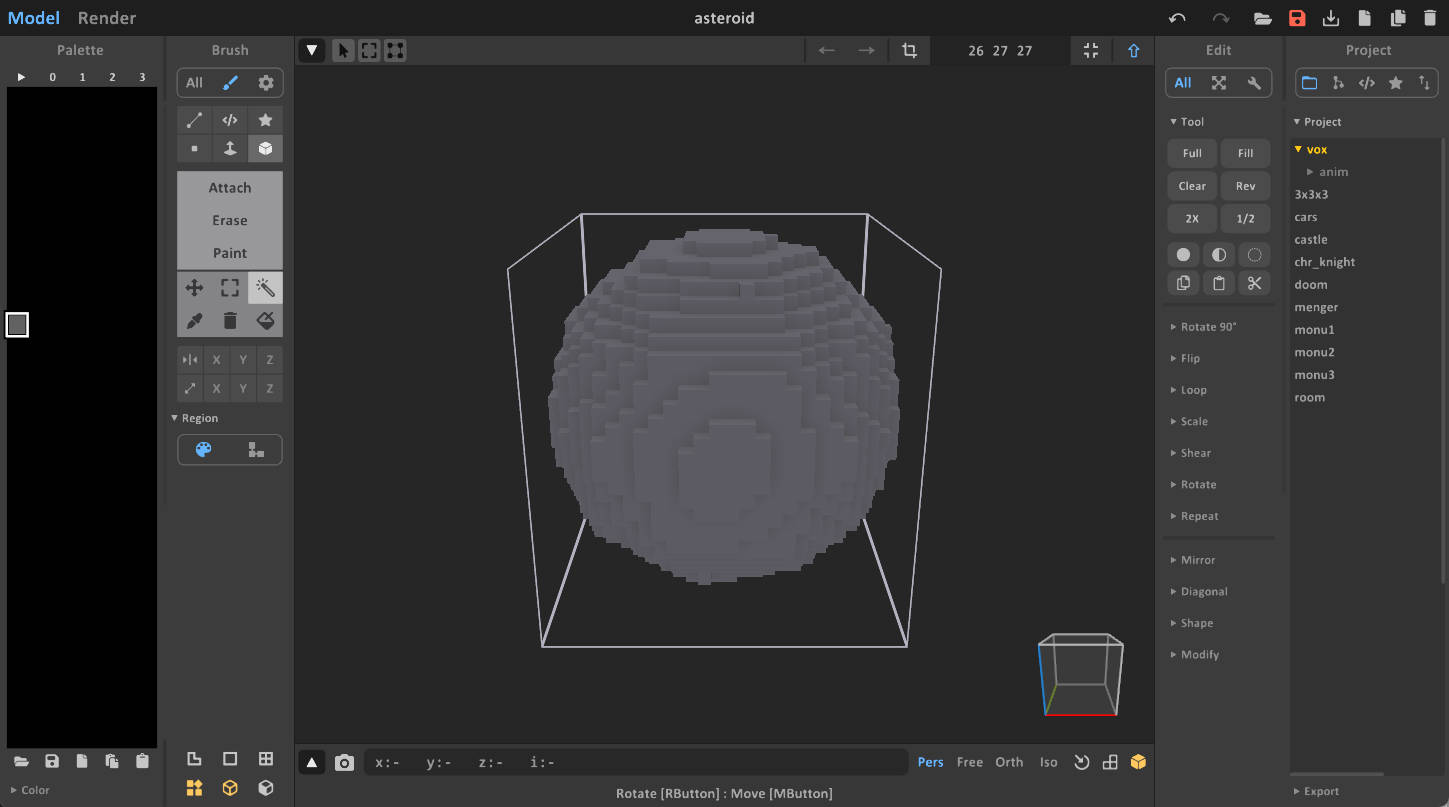
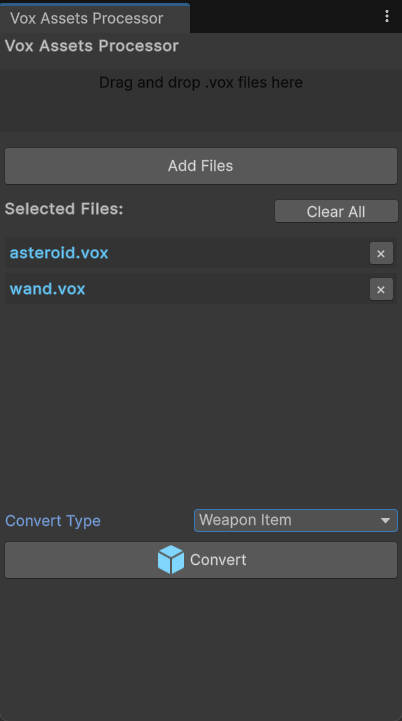
Step 2: Import and prepare the prefabs
- Import the
.voxfiles into Unity. - Generate prefabs with the voxel import tooling.
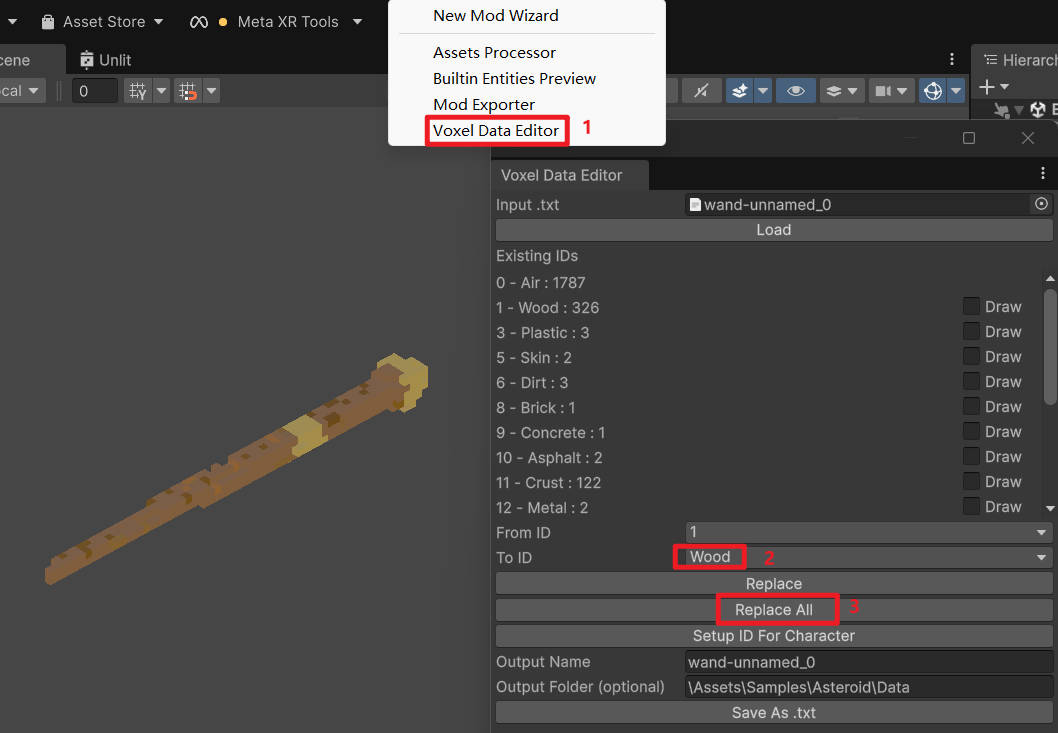
- Open the wand data in the Voxel Data Editor if you need to remap imported colors to the correct material IDs.
For a wooden wand, remap the wand voxels to the wood material set.
Step 3: Wire the prefab for TypeScript
The current sample does not add a custom C# EntityAsteroidWand script. Instead:
- Add
JsComponentProxyto the wand prefab. - Set its script/class name to
Wand. - Export
WandfromScripts/index.ts. - Add
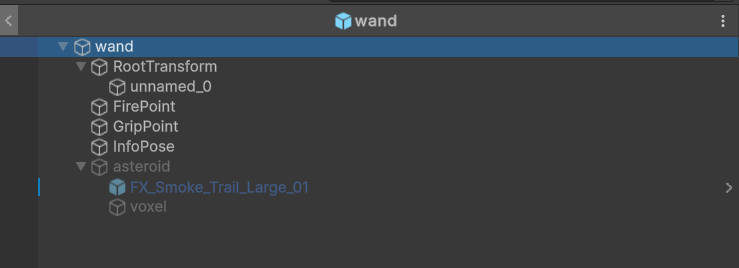
JsPropertiesto the same prefab. - Keep the asteroid as an inactive child GameObject under the wand root.
- Add a property named
asteroidthat points at that child transform.
The TypeScript script reads that property and uses it when spawning projectiles.
Use the sample prefab layout as reference:
Step 4: Understand the TypeScript logic
The weapon logic in Scripts/wand.ts follows this flow:
- It resolves the host
EntityHoldWeaponcomponent from the prefab. - It reads the asteroid prefab from
JsProperties. - It registers a fire callback through
ModAPI.AddWeaponFiredListener. - When the player fires, it instantiates the asteroid, moves it above and ahead of the player camera, and applies velocity through
PxRigidBody.
Representative excerpt:
export class Wand {
    private bindTo: VX.Mod.JsComponentProxy;
    private weapon: VX.Entity.EntityHoldWeapon;

    constructor(bindTo: VX.Mod.JsComponentProxy) {
        this.bindTo = bindTo;
        this.weapon = bindTo.GetComponent(
            puerts.$typeof(VX.Entity.EntityHoldWeapon)
        ) as VX.Entity.EntityHoldWeapon;

        VX.Mod.ModAPI.AddWeaponFiredListener(
            this.weapon,
            () => this.fireOnce()
        );
    }
}
This is the important pattern for toolkit mods now: keep the built-in gameplay component on the prefab, then extend it with TypeScript through JsComponentProxy.
Step 5: Configure the projectile child object
The asteroid projectile object should:
- Have the visual voxel object.
- Have the rigidbody / collision setup required for projectile movement.
- Include any smoke trail or particle effects you want to spawn with it.
- Stay inactive under the wand root in the exported wand prefab.
The sample script instantiates that child object at runtime and sets PxRigidBody.velocity directly, so verify the rigidbody exists on the asteroid child object before testing.
Step 6: Configure the manifest
Open manifest.asset and add the prefabs you want to ship.
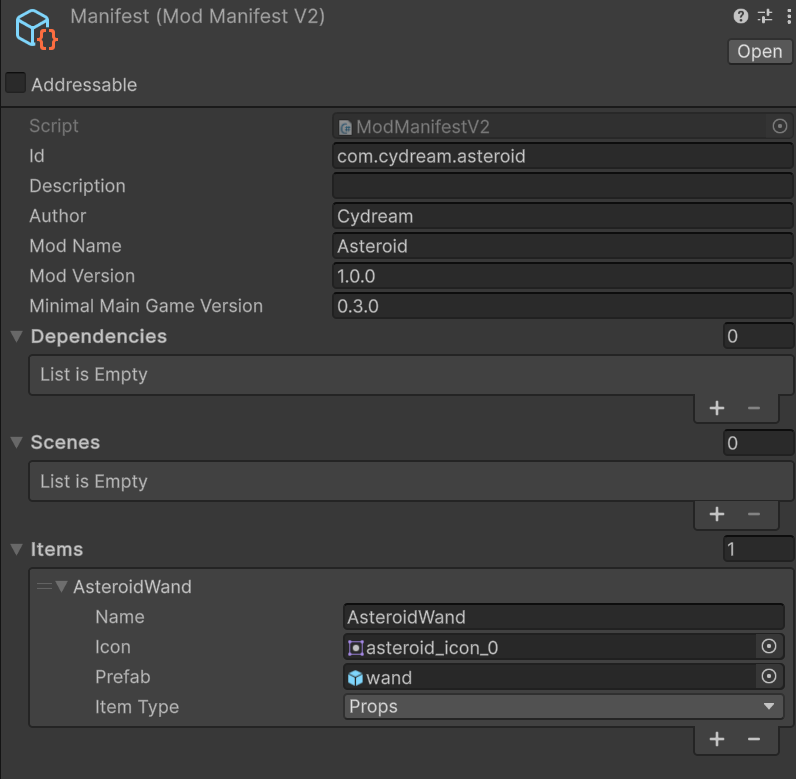
At minimum:
- Export the wand prefab.
- Do not export the asteroid as a separate prefab for this sample, because it is packaged as an inactive child under the wand root.
Step 7: Test and publish
Before export, run:
npm run lint:mod -- com.cydream.asteroid
Then build and test the mod with the exporter: