Heightmap Voxel
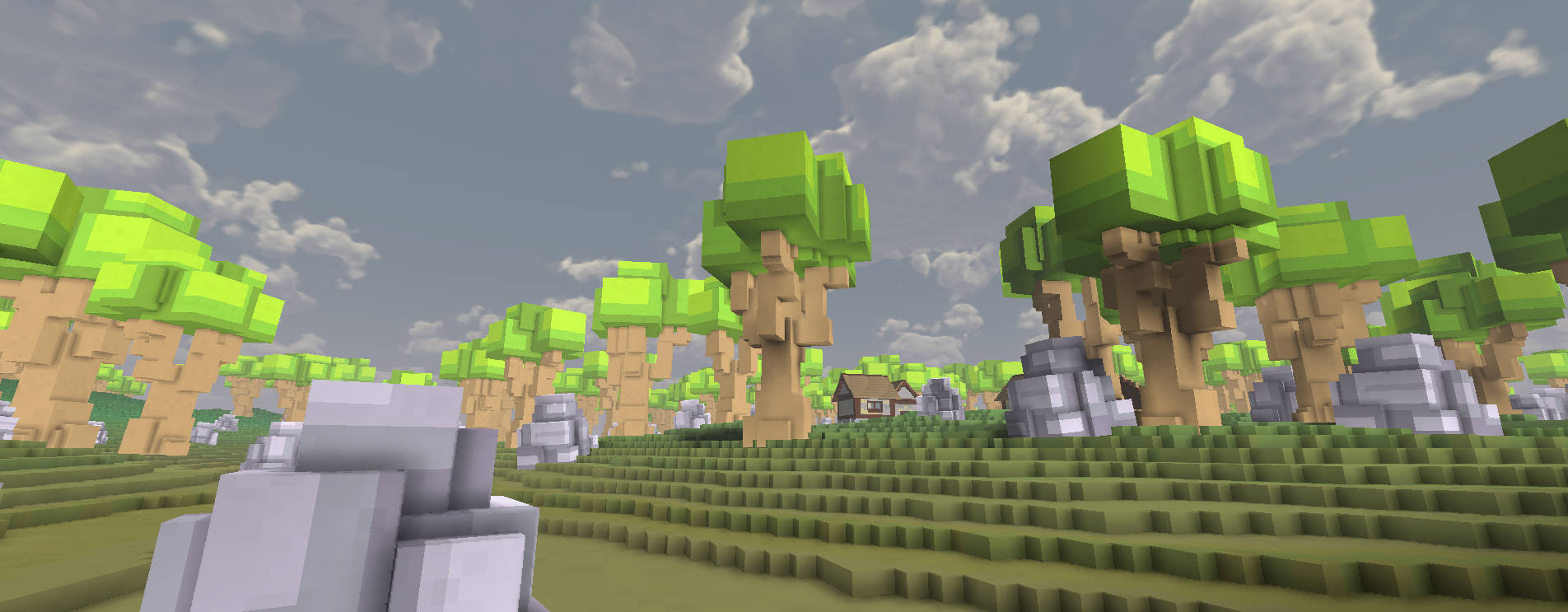
The HeightmapVoxels component allows you to create voxel-based terrain using a heightmap and a colormap texture. This is useful for creating large ground surfaces that support voxel destruction and physics.
Component: HeightmapVoxels
Usage Steps
Create GameObject: Create a new empty GameObject in your scene.
Add Component: Add the
HeightmapVoxelscomponent to the GameObject.Prepare Textures:
- You need two textures: a Heightmap (grayscale) and a Colormap (RGB).
- Important: Select each texture in the Project view, go to the Inspector, and check Read/Write Enabled in the Import Settings. Click Apply.
Assign Textures: Drag your textures into the
HeightmapandColormapfields of the component.Configure Settings: Adjust the
Tile Size,Height Scale, and other parameters as needed.Play: The terrain is generated automatically when the game starts (in the
Start()method).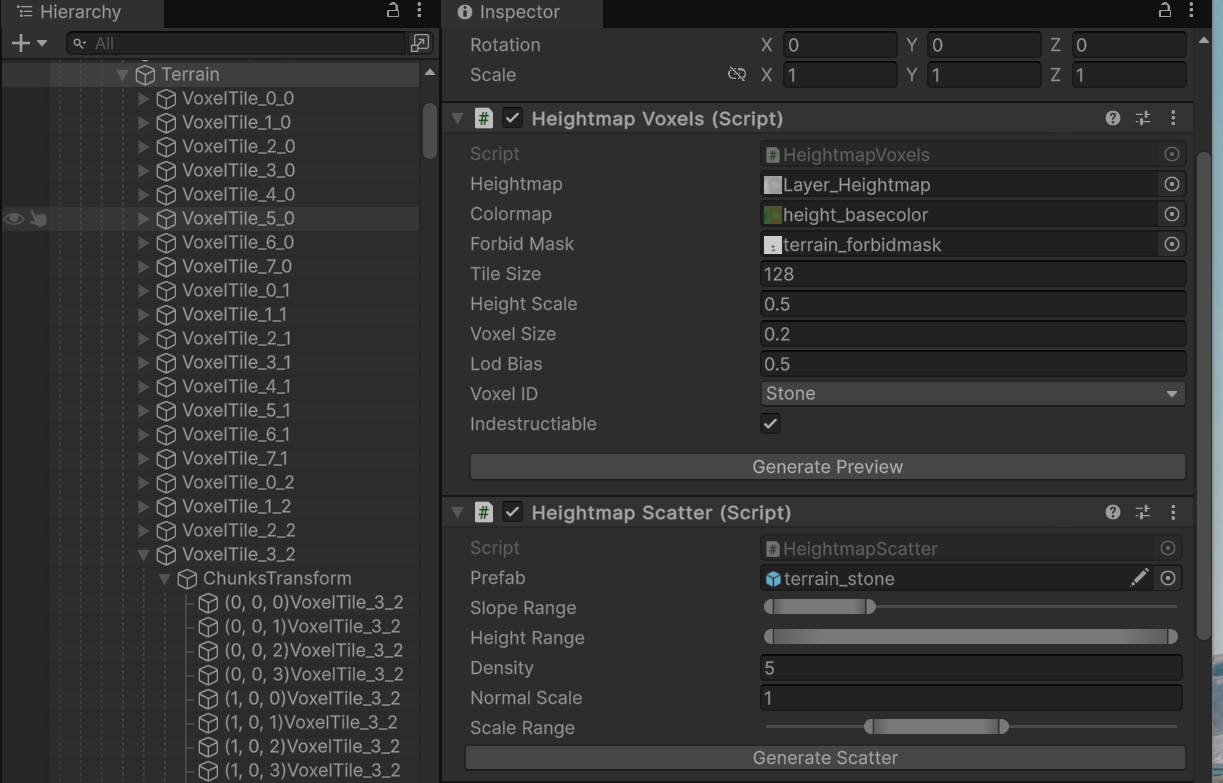
Parameters
| Parameter | Description | Default |
|---|---|---|
| Heightmap | Grayscale texture defining terrain height. White is high, black is low. | None |
| Colormap | Texture defining the color of the terrain surface. | None |
| Forbid Mask | Optional mask texture. | None |
| Tile Size | Size of chunks to split the generation into. Smaller tiles may help with memory but increase object count. | 256 |
| Height Scale | Multiplier for the vertical height of the terrain. | 1 |
| Voxel Size | Size of individual voxels in world units. Smaller values = more detail but heavier performance. | 0.25 |
| Lod Bias | Level of Detail bias for the mesh generation. | 1.0 |
| Voxel ID | The material type of the generated voxels (e.g., Stone, Dirt, Grass). Affects sound and physics. |
Stone |
| Indestructible | If enabled, the terrain cannot be destroyed by weapons or explosions. | true |
Tips
- Performance: Large
Heightmaptextures can take time to generate. The script splits them into tiles to manage this. - Physics: The generated terrain uses
PxVoxelColliderGeneratorfor physics collisions. - Destruction: If
Indestructibleis disabled, the ground can be dug into or destroyed like other voxel objects.
Performance Considerations
1. Voxel Count and Texture Resolution The number of voxels along the X and Z axes (the voxel grid resolution) is directly determined by the pixel resolution of your Heightmap texture.
- 1 pixel in the Heightmap = 1 vertical column of voxels.
- For example, a 100x100 pixel texture creates a 100x100 grid of voxel columns.
- The physical world size of the terrain =
Pixel Width * Voxel Size.
2. Recommended Size Keep it under 256x256. It is strongly recommended to ensure your Heightmap texture is smaller than 256 pixels on each side.
- Generating voxels is computationally expensive.
- A texture larger than 256x256 will produce a massive amount of geometry and collision data, which can cause significant lag during initialization (game start) and high memory usage.
- If you need a larger area, consider increasing the
Voxel Sizeparameter instead of increasing the texture resolution, or use multiple smaller HeightmapVoxel objects.